





Infrastructure that ships with confidence.
CI/CD pipeline integration into your existing system, Docker, Kubernetes, microservices deployment, Nginx, AWS, Azure, Hostinger, database maintenance, server migration, CDN, backup, Google Workspace, and email setup — one team, every layer of your infrastructure.
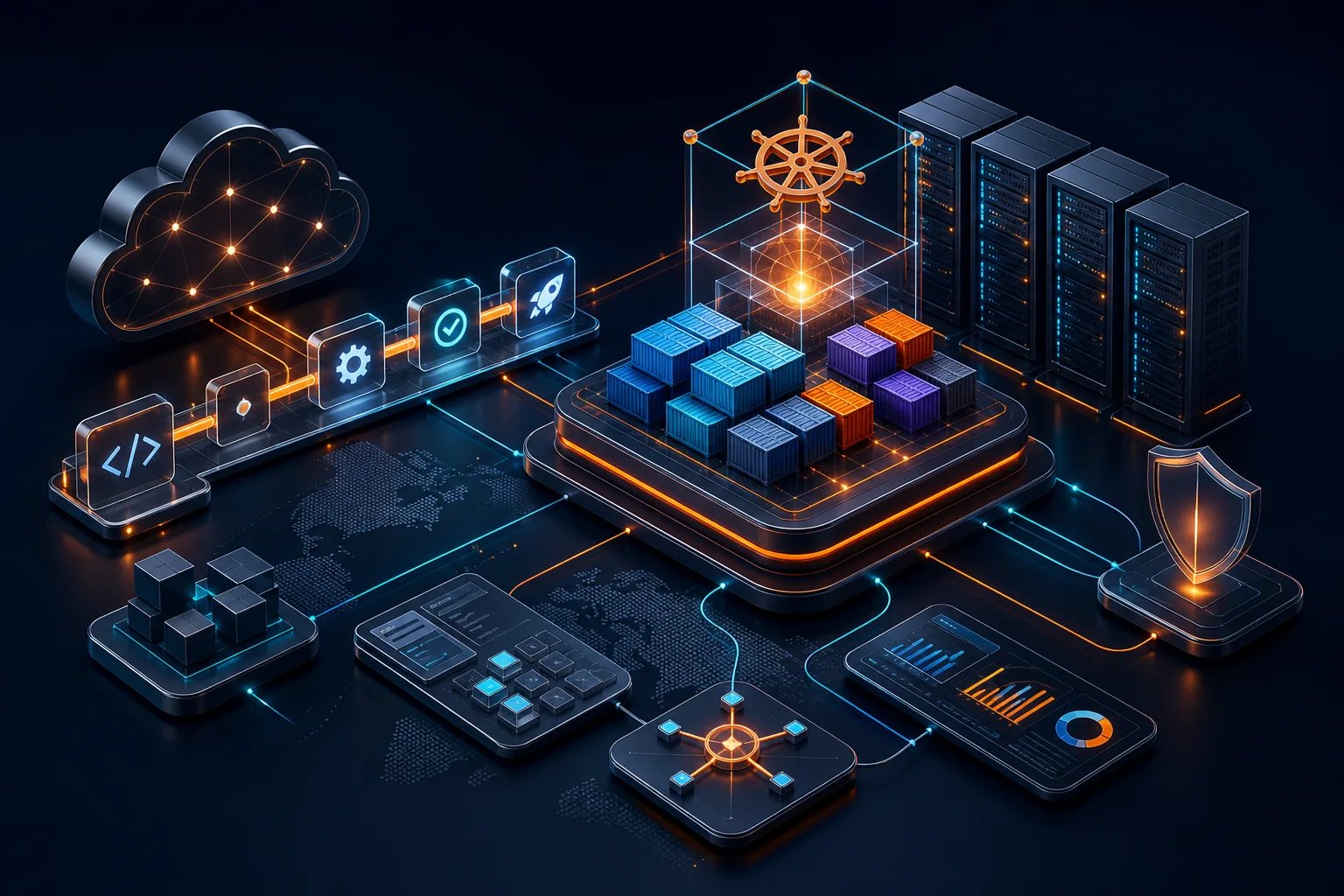
Automated cloud delivery
Build · deploy · observe · recover
CI/CD
Automated release pipelines
24/7
Monitoring & alerting
IaC
Repeatable infrastructure
Every layer of your infrastructure
CI/CD Pipeline Integration
GitHub Actions, GitLab CI, Azure DevOps, and Jenkins — integrated into your existing repo without disrupting current workflow. Automated tests, builds, and zero-downtime deployments.
Docker & Containerisation
Dockerfile authoring, multi-stage build optimisation, Docker Compose for local/staging, and container registry setup — consistent environments from dev to production.
Kubernetes & Microservices
Cluster setup on EKS, AKS, GKE, or bare metal. Helm charts, ArgoCD GitOps, horizontal pod autoscaling, and microservices deployment with service mesh.
Cloud Platforms (AWS / Azure)
AWS architecture, migration, and cost optimisation. Azure VM setup, Azure DevOps, and Azure AD integration. Right-sized for your workload and budget.
Database & Server Maintenance
MySQL and PostgreSQL upgrades, migrations, replication, automated backups, and CDN setup. Server hardening, patching, and capacity planning.
Email & Workspace Setup
Google Workspace and Microsoft 365 provisioning, DNS configuration (MX, SPF, DKIM, DMARC), Outlook setup, and team email migration.
Plug a pipeline into your existing system — any platform
What a typical pipeline does on every push:
- 1 Checkout code & restore dependency cache
- 2 Run static analysis (PHPStan / ESLint / SonarQube)
- 3 Execute unit + integration test suite
- 4 OWASP dependency vulnerability scan
- 5 Build Docker image (multi-stage, minimal size)
- 6 Push image to registry (ECR / GCR / Docker Hub / GitLab)
- 7 Deploy to staging — automatic on merge to main
- 8 Run smoke tests against staging URL
- 9 Manual approval gate → deploy to production
- 10 Zero-downtime cutover (blue-green or rolling)
- 11 Notify Slack / Teams on success or failure
- 12 Rollback in 30 seconds if health check fails
GitHub Actions
The default for GitHub-hosted repos. We write reusable workflow YAML files covering PHP, Node.js, Go, and Python. Supports matrix builds, environment secrets, OIDC auth to AWS/Azure, and self-hosted runners.
GitLab CI/CD
Pipeline-as-code in .gitlab-ci.yml. We configure runners (shared or self-hosted), environment-specific stages, merge request pipelines, and GitLab Container Registry integration. Works with self-hosted GitLab too.
Azure DevOps
Pipelines (YAML-based), Repos, Artifacts, and Boards. We set up multi-stage YAML pipelines with deployment environments, approvals, gates, and Azure Container Registry. Integrates with Azure AD for authentication.
Jenkins
Self-hosted CI server for teams that need full control. We configure Jenkins from scratch — pipeline-as-code with Jenkinsfile, shared libraries, Docker agent builds, Blue Ocean UI, and integration with any SCM or deployment target.
Ubuntu, RedHat & self-hosted server configuration
OS & server setup
Ubuntu / Debian
The most common choice for web servers. We configure Ubuntu 22.04/24.04 LTS with UFW firewall, fail2ban intrusion prevention, unattended security upgrades, SSH key-only authentication, and swap configuration.
RHEL / AlmaLinux / Rocky
Enterprise Linux for regulated industries. We set up SELinux in enforcing mode, firewalld, subscription-manager, and configure the system for SOC 2 or HIPAA-aligned hardening.
Self-Hosted Bare Metal
On-premise or co-location servers. RAID configuration, network bonding, IPMI remote access, out-of-band management, and integration with your existing VLAN and firewall.
VPS Providers (Any)
DigitalOcean, Hetzner, Linode, Vultr, OVH, or Hostinger VPS — we configure them identically regardless of provider so you're never locked in.
Nginx reverse proxy & load balancing
Nginx is the glue between your server and your application — handling SSL termination, request routing, caching, compression, and distributing traffic across multiple backends. We configure it for maximum performance and security.
Load balancing architectures we configure
Horizontal scaling of a PHP-FPM or Node.js pool behind one Nginx entry point.
Nginx routes to container ports with dynamic upstream discovery via consul-template or Docker labels.
HAProxy for TCP load balancing + Nginx for HTTP/S — two-tier setup for maximum throughput.
ALB handles HTTPS offloading and distributes to EC2 targets each running Nginx + app.
Docker setup, Kubernetes & microservices deployment
Docker Setup
We write production-ready Dockerfiles for any language and configure Docker Compose for local development and staging environments that mirror production exactly.
- ·Multi-stage Dockerfile (minimal final image)
- ·Non-root user & read-only filesystem
- ·Layer caching optimisation
- ·Docker Compose (local dev & staging)
- ·Container registry setup (ECR / GCR / GitLab / Docker Hub)
- ·Image scanning (Trivy / Snyk)
- ·Secret injection (env file / Vault / AWS SSM)
- ·Health check & graceful shutdown
- ·PHP-FPM, Node.js, Go, Java images
- ·Nginx + app container composition
Kubernetes (K8s)
Cluster setup and production-grade configuration on managed services (EKS, AKS, GKE) or self-hosted bare metal. We write Helm charts for every service and configure GitOps with ArgoCD.
- ·Cluster setup: EKS (AWS), AKS (Azure), GKE (GCP)
- ·Self-hosted K8s (kubeadm / k3s)
- ·Helm chart authoring & management
- ·ArgoCD GitOps — Git as source of truth
- ·Horizontal Pod Autoscaler (HPA)
- ·Ingress controller (Nginx / Traefik)
- ·Cert-Manager for automatic TLS
- ·Persistent volumes (EBS, Azure Disk, NFS)
- ·Resource requests/limits & QoS classes
- ·Pod disruption budgets & rolling updates
- ·Network policies & namespace isolation
- ·Prometheus + Grafana observability stack
Microservices Deployment
Deploying microservices is not just running more containers — it requires service discovery, inter-service auth, distributed tracing, and independent CI/CD pipelines per service.
- ·API gateway (Kong / AWS API Gateway / Nginx)
- ·Service mesh (Istio — mTLS, circuit breaker)
- ·Independent CI/CD pipeline per service
- ·Per-service Docker image versioning
- ·Environment promotion (dev → stage → prod)
- ·Distributed tracing (Jaeger / Zipkin / OTEL)
- ·Centralised log aggregation (ELK / Loki)
- ·RabbitMQ / Kafka event bus setup
- ·gRPC service-to-service communication
- ·Feature flags for safe releases
- ·Blue-green per-service deployment
- ·SLO / SLA monitoring dashboards
AWS, Azure, Hostinger & beyond
Amazon Web Services (AWS)
The most comprehensive cloud platform. We design, migrate, and optimise AWS architectures — Infrastructure as Code first, every time.
Infrastructure as Code
All AWS resources defined in Terraform — version-controlled, reviewable, and reproducible. No manual console changes.
Microsoft Azure
The enterprise cloud — best when you're already inside a Microsoft environment (Office 365, Active Directory, Teams). Full Azure setup and DevOps integration.
Azure DevOps Integration
We wire your Azure Repos, Boards, and Pipelines into a unified CI/CD workflow with deployment environments and approval gates.
Hostinger & Web Hosting
Shared, VPS, or cloud hosting on Hostinger, SiteGround, cPanel providers, DigitalOcean, Hetzner, and any Linux VPS. We deploy and configure for maximum performance within the hosting constraints.
Also supported
GCP, DigitalOcean, Linode, Vultr, OVH, Hetzner, and any provider where you can SSH in as root.
MySQL, PostgreSQL — maintenance, migration & upgrade
Version Upgrades
MySQL 5.7 → 8.0 → 8.4, PostgreSQL 12 → 15 → 16. We test the upgrade on a clone first, fix incompatibilities, then perform the in-place upgrade or a logical migration using dump/restore — with a rehearsed rollback plan.
Database Migration
Moving databases between servers (VPS to RDS, on-premise to cloud, MySQL to PostgreSQL). We use logical replication or streaming replication to minimise downtime — often cutting over with zero data loss.
Replication Setup
Master-replica (MySQL async), streaming replication (PostgreSQL), and read-replica routing so your application can distribute read queries. We also configure point-in-time recovery (PITR) from replica.
Backup & Recovery
Automated nightly full backups + hourly or 15-minute incremental backups to S3/Azure Blob/Backblaze. We test restores on a schedule — a backup that has never been restored is a backup with unknown reliability.
Performance Tuning
Query analysis with EXPLAIN ANALYZE, index audit, N+1 query detection, slow query log review, buffer pool sizing, and connection pooling with PgBouncer (PostgreSQL) or ProxySQL (MySQL).
CDN & Full Deployment Strategy
CloudFront, Cloudflare, or Azure CDN for static assets and edge caching. Full deployment pipeline: build → test → stage → prod with rollback, feature flags, and post-deploy health checks.
Backup strategy — what we configure
mysqldump or pg_dump, compressed, encrypted at rest, uploaded to S3 with versioning enabled.
Binary log (MySQL) or WAL archive (PostgreSQL) so point-in-time recovery is possible.
Cross-region replication to a second S3 bucket or Azure Blob in a different region.
Automated restore job that downloads the backup, spins up a test instance, restores, and validates row counts. Alerts if it fails.
30 days of full backups + 7 days of binary logs for PITR. Configurable to your compliance requirement.
CDN & static asset delivery
Globally distributed CDN with DDoS protection, WAF, image optimisation, and 1-click DNS management. Ideal for most web applications.
Deep integration with S3, EC2, and ECS. Lambda@Edge for request transformation. Best for AWS-hosted applications.
Tight integration with Azure Blob Storage and App Service. Native integration with Azure Front Door for global load balancing.
Cost-effective global CDN for static assets and video. Excellent performance-to-price ratio for media-heavy sites.
From build to production — a complete deployment playbook
Plan
Define environments (dev, staging, prod), branching strategy (trunk-based or Gitflow), release cadence, and rollback criteria before writing a single pipeline step.
Build
Compile, transpile, bundle, and produce a versioned, immutable artefact — Docker image or deployment package. Same artefact promoted through every environment, never rebuilt.
Test
Automated unit, integration, E2E, security scan, and performance test gate. No build moves to staging that doesn't pass. Failures block the pipeline, not the developer.
Stage
Automatic deployment to a staging environment that mirrors production in configuration. Smoke tests validate the key user journeys. Manual QA window if required.
Approve
Manual approval gate in the pipeline for production deployments. Approval audit trail logged with approver, timestamp, and artefact version.
Deploy
Zero-downtime deployment: blue-green (instant cutover with instant rollback) or rolling update (gradual traffic shift with automated canary analysis).
Verify
Post-deploy smoke tests, health check polling, and synthetic monitoring run automatically. If the health check fails within 5 minutes, auto-rollback triggers.
Monitor
Structured logging, distributed tracing, and metrics dashboards (Grafana + Prometheus) alert on error rate spikes, latency degradation, or resource exhaustion.
Blue-Green Deployment
Two identical environments (blue = live, green = new version). Traffic switches instantly. Rollback is a DNS or load balancer pointer change — seconds, not minutes.
Rolling Deployment
Gradually replace old instances with new ones — 10% → 25% → 50% → 100%. Canary analysis compares error rates between old and new at each step. Stops automatically if error rate rises.
Feature Flags
Deploy code to production before it's live. Activate features for 5% of users, specific users (beta), or specific markets — without deploying again. Roll back by toggling a flag.
Google Workspace, Microsoft 365 & Outlook setup
Google Workspace
We handle everything from domain purchase to last user's Outlook Android app configured — one handover session at the end.
Microsoft 365 & Outlook
We configure Outlook on desktop (Windows & Mac) and mobile (iOS & Android) for every user — not just the admin account.
Email deliverability — why SPF, DKIM & DMARC matter
SPF (Sender Policy Framework)
A DNS TXT record that lists which servers are allowed to send email from your domain. Without it, spoofed emails from your domain are trivial to send and will reach inboxes.
DKIM (DomainKeys Identified Mail)
Adds a cryptographic signature to every outgoing email. Receiving servers verify the signature to confirm the message hasn't been tampered with and really came from your domain.
DMARC (Domain-based Message Authentication)
Tells receiving servers what to do with emails that fail SPF or DKIM checks — quarantine, reject, or report. DMARC reports tell you who is sending email on your behalf.
Infrastructure deployed and managed globally
Pakistan / South Asia
Hostinger PK, local servers, Telenor & Jazz network CDN, JazzCash/EasyPaisa payment gateway integration.
UAE & Middle East
AWS Bahrain (me-south-1), Azure UAE North, Cloudflare Middle East PoPs, Arabic RTL application support.
United Kingdom & Europe
AWS London (eu-west-2), Azure UK South, GDPR-compliant architecture, ICO data residency, EU data sovereignty.
United States & Canada
AWS US East/West, Azure East US, SOC 2 aligned architecture, CCPA compliance, multi-AZ high availability.
Germany & DACH Region
AWS Frankfurt (eu-central-1), German data residency, GDPR strictest interpretation, ISO 27001 aligned.
Singapore & APAC
AWS Singapore (ap-southeast-1), GCP Singapore, Cloudflare APAC PoPs — low latency for APAC SaaS applications.
Australia
AWS Sydney (ap-southeast-2), Azure Australia East, Australian data residency for regulated industries.
Saudi Arabia
AWS Riyadh (me-central-1), Azure Qatar, NDMO compliance support, Arabic localisation, IBAN & Mada integration.
Engineering standards across every deployment
Security hardening
SSH key-only auth, UFW/firewalld, fail2ban, ClamAV, unattended security upgrades, and regular vulnerability scanning.
SSL / TLS everywhere
Let's Encrypt with auto-renewal, HSTS, OCSP stapling, TLS 1.3, and A+ SSL Labs rating by default.
Monitoring & alerting
Prometheus + Grafana for metrics, Loki for logs, PagerDuty / OpsGenie alert routing, and uptime monitoring.
Infrastructure as Code
Terraform for all cloud resources, Ansible for server configuration — every change is a PR, reviewed, and auditable.
Zero-downtime deploys
Blue-green or rolling deployments with automatic health check rollback — no Saturday night maintenance windows.
Database optimisation
Slow query analysis, index optimisation, connection pooling, and query cache tuning for peak performance.
Disaster recovery
Multi-AZ or cross-region replication, tested backup restore procedure, and documented RTO/RPO targets.
Cost optimisation
Right-sizing, Reserved Instance / Savings Plan analysis, auto-scaling to zero on dev environments — 25–45% typical savings.
CDN & edge caching
CloudFront, Cloudflare, or Azure CDN configured for optimal cache-hit ratio and edge compression.
24 / 7 incident response
On-call escalation for production incidents, postmortem reports, and SLA-aligned response times.
Team knowledge transfer
Runbooks, architecture diagrams, deployment playbooks, and a handover session — so your team is not dependent on us.
Ongoing maintenance retainer
Monthly server patching, certificate renewal checks, backup validation, and capacity planning review.
We integrate into your existing system — you don't need to start over
The most common objection we hear is "we already have a process." That's fine — we don't replace your workflow, we improve it. If your team deploys via FTP today, we add a CI/CD pipeline that still pushes to the same server but runs your tests first and does it safely. If you have a GitHub repo but no pipeline, we add Actions workflows without touching your branching strategy. We meet you where you are.
Migrations and upgrades happen the same way: we run old and new systems in parallel, test thoroughly, then cut over with a rollback plan ready. We've never had a migration that required a week of downtime, and we never will — because we don't believe in big-bang cutovers.
Jenkins vs GitHub Actions vs GitLab CI vs Azure DevOps
All four are excellent CI/CD platforms — the right choice depends on where your code lives and what your team already knows. GitHub Actions is the default for GitHub repositories: easy to set up, massive community of reusable actions, and native OIDC integration with AWS/Azure removes the need for long-lived credentials. GitLab CI is the best CI/CD experience if you're self-hosting GitLab — pipeline config lives right alongside your code, and GitLab's container registry and Kubernetes integration are first-class.
Azure DevOps is the enterprise choice for Microsoft shops — multi-stage YAML pipelines, deployment environments with approval gates, and native Azure AD integration. Jenkins is the oldest and most flexible — if you need to build on exotic targets, integrate with legacy tools, or have compliance requirements around self-hosting, Jenkins can do anything.
Frequently asked questions
Related services
Software Development
Full-stack applications — Laravel, React, Angular, Spring Boot, and Go — ready to deploy on your new infrastructure.
- Laravel
- React
- Angular
- Go
- Microservices
Penetration Testing & QA
Security audits and automated QA pipelines that integrate directly into your CI/CD workflow.
- OWASP
- Cypress
- Playwright
- k6
API Development
Well-documented APIs deployed with the same zero-downtime pipeline we build for every project.
- REST
- GraphQL
- OpenAPI
- gRPC